
Korea Travel Essentials: WiFi, SIM Cards, Voltage & Practical Services (2025 Guide)
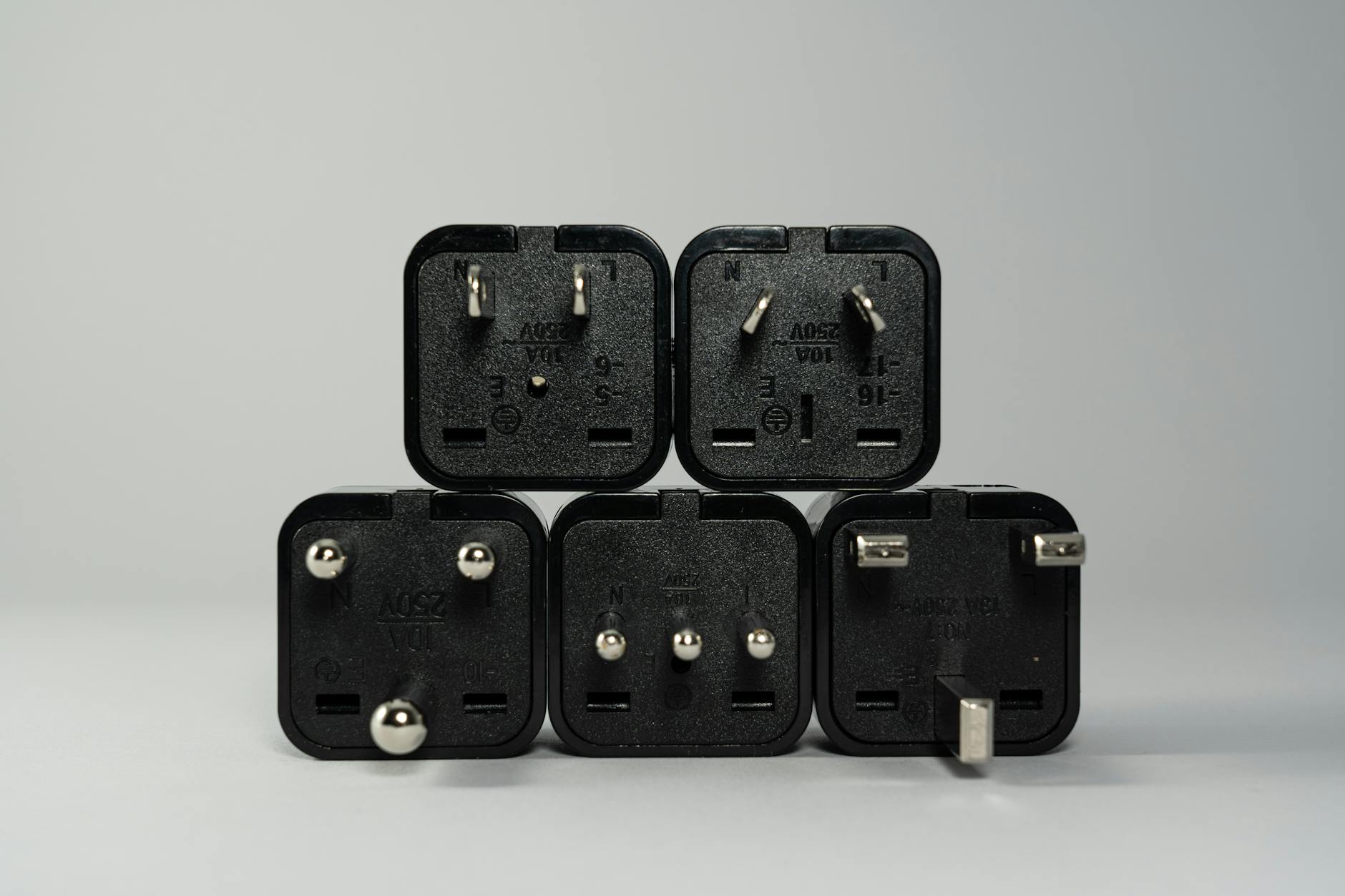
I want to start with the voltage thing because it’s the question I see people get wrong most often. Bringing a hair dryer that explodes (not literally, but the technical equivalent) is a bad start to a trip. So: Korea uses 220V at 50–60Hz, Type C and F plugs (two round pins, like most of Europe). If you’re from North America or Japan, you need to check your devices before assuming they’ll work.
After that we’ll get into the more interesting stuff—SIM cards, WiFi options, how the internet actually works here—which is honestly pretty great once you’ve got it set up.
🔌 Electricity & Voltage in Korea
The basics:
- Voltage: 220V
- Frequency: 50–60Hz
- Plug type: Type C & F (two round pins)
Will Your Device Work?
Look at the power adapter for your phone charger, laptop, or camera. There’s a small label that says something like “INPUT: 100-240V” or “INPUT: 110V only.”
- ✅ “INPUT: 100-240V” → Dual voltage. You just need a plug adapter to fit the outlet. The device itself is fine.
- ⚠️ “INPUT: 110V only” → You need a voltage converter, not just an adapter. This applies mostly to older or cheaper devices.
Most modern phones, laptops, and cameras are dual voltage. Hair dryers, curling irons, and some older electronics are often not. If you’re unsure, check the label physically—don’t guess.
For Europeans: Your plugs will actually fit Korean outlets directly. Probably fine without any adapter.
For North Americans / Japanese travelers: You need both a plug adapter AND possibly a voltage converter. Get the adapter at minimum. Korean convenience stores (GS25, CU, 7-Eleven) sometimes sell basic adapters, but stock varies. Easier to bring one from home or order before you go.
My Tip: Grab a multi-plug universal adapter that covers Type C/F—it’ll serve you in Korea and most of Europe. About ₩5,000–₩10,000 at Korean convenience stores or airport shops if you forget.
📶 Internet & WiFi in Korea
Korea has very fast internet. I’m not being promotional about this—it’s just a fact. Average speeds are genuinely among the highest in the world, and this shows in practice: pages load fast, video streams without buffering, navigation apps update in real time even in the subway.
Free WiFi Options
Public WiFi: Seoul has extensive public WiFi (called “Public WiFi Free” or “Seoul WiFi”) in subway stations, public squares, and government buildings. Connection quality varies—it’s usable for maps and messaging, less ideal for video.
In stores and cafes: Most cafes, restaurants, and convenience stores have WiFi. Connection passwords are usually on receipts or you can ask. CU convenience stores specifically offer free WiFi that’s reasonably fast.
In your accommodation: Hotels and guesthouses almost universally have WiFi. I’ve stayed in places that were clearly a bit rough around the edges and still had reliable internet. This isn’t a problem in Korea.
📱 SIM Cards in Korea
For most travelers, getting a Korean SIM card is the easiest path to reliable data. It’s significantly cheaper than roaming on your home plan and gives you proper 4G/5G speeds for the duration of your trip.
Where to Get a SIM Card
- Incheon Airport (ICN): Multiple carriers have booths in the arrivals hall. KT (Olleh), SK Telecom, U+ are the main ones. Convenient but sometimes a short wait if you arrive during peak hours.
- Online before you travel: Several companies (Klook, KT Roaming, various Korean providers) let you order a SIM in advance and pick it up at the airport or have it shipped. This is what I’d do—less friction when you arrive tired.
- Convenience stores: Some GS25 stores sell prepaid SIM kits, but selection varies and activation is a bit more DIY.
SIM Card Types
| Type | Duration | Approx. Price | Good For |
|---|---|---|---|
| Tourist SIM (Data only) | 5–30 days | ₩15,000–₩45,000 | Most travelers—data only, no Korean phone number |
| Tourist SIM (Data + Calls) | 5–30 days | ₩20,000–₩60,000 | If you need to make local calls (restaurants, bookings) |
| Pocket WiFi Rental | Per day / full trip | ₩8,000–₩12,000/day | Groups of 2+ sharing one connection |
Pocket WiFi used to be more popular but individual SIMs have gotten cheap enough that it’s often not worth the hassle of keeping a separate device charged.
⚠️ Note: Check that your phone is unlocked for international SIM use before you arrive. Most phones bought directly from carriers are locked. If you bought it outright or it’s been a few years, it’s probably unlocked—but verify. Finding out your phone won’t accept a Korean SIM at the airport is a bad moment.
📡 Alternative: Pocket WiFi Rental
Pocket WiFi (portable WiFi hotspot) rentals are available at Incheon Airport and online. You pick up a device, it runs on Korea’s mobile network, and you get a WiFi hotspot you carry with you.
Pros:
- Works for multiple devices at once (useful if you have a tablet plus phone)
- No need to swap SIM cards
Cons:
- Another device to keep charged
- If you leave it at the hotel, you have no internet
- Battery life is usually 8–10 hours—manageable but something to track
For a solo traveler, I’d say SIM card beats pocket WiFi almost every time now. For a family or group sharing a connection, pocket WiFi can still make sense.
🗺️ Navigation Apps in Korea
This is the part that surprises people: Google Maps doesn’t work well in Korea. I mean—it loads, it shows the map, but turn-by-turn navigation and real-time transit updates are limited because Korean law restricts certain map data sharing with foreign companies. It’s a known situation, not a bug.
What actually works:
- Naver Map (네이버 지도) — best for navigation in Korea. English language option exists. Accurate, reliable, shows transit routes properly.
- Kakao Map — similar quality, slightly different interface. Also has English support.
- KakaoTaxi — for booking taxis from your phone, English interface available
Download Naver Map before you land. Genuinely. This is advice I wish someone had given me on my first extended time here.
💳 T-Money Card (Transit Card)
This isn’t WiFi or voltage, but it belongs in any practical essentials list for Korea. T-Money is the rechargeable transit card used on Seoul’s subway, buses, and some taxis. It also works at convenience stores.
- Buy at any subway station or GS25/CU convenience store
- Card costs about ₩3,000–₩5,000 (one-time purchase)
- Recharge at station machines or convenience stores
- Discount compared to single-ride tickets
- No language barrier—machines at stations have English
Get this on your first day. It makes the subway significantly less friction. Fumbling with paper tickets each ride gets old fast.
📬 Mailing Things Home
If you buy things in Korea and don’t want to carry them home—or if you’re sending postcards—Korean post offices (우체국, ucheguk) are easy to use and have reasonably good international shipping rates. EMS (Express Mail Service) is the fast international option; regular international surface mail is cheap but very slow.
Most post offices have English-capable staff or at least English forms. Weight your packages at the counter—they’ll calculate the cost for you. I’ve shipped boxes of ceramics home this way and it works fine.
✅ Quick Packing Checklist
- ✅ Universal power adapter (Type C/F)
- ✅ Voltage converter if you have 110V-only devices
- ✅ Check your phone is SIM-unlocked before you leave
- ✅ Download Naver Map before arrival
- ✅ Plan for T-Money card on arrival (buy at the airport subway)
- ✅ Decide: SIM card vs pocket WiFi (SIM recommended for solo travelers)
- ⚠️ Don’t assume your hair dryer works here. Check the label.
Honestly, Korea is not a hard country to navigate practically. The subway is intuitive, signs are in English, and you can pay by card almost everywhere. The things on this list are mostly about not being caught off-guard rather than solving hard problems.
Get the SIM card, download Naver Map, and you’re 90% of the way to a smooth trip.
Related Posts
- handle money exchanges and payments in Korea
- save the Korea emergency numbers before you travel
- check the time difference before scheduling calls home
Last verified: May 2026. Information confirmed through direct experience and current sources. If anything has changed, leave a comment and I’ll update it.

About Jay Han
Jay has lived in Seoul for over 10 years and works as a marketing professional. He started Korea Hub to share the kind of honest, specific information he wishes he’d had when navigating Korean culture, food, and travel for the first time. Not a travel blogger — just someone who actually lives here.
Setting up WiFi and getting a working SIM was the first thing I did when I moved to Seoul, and I’ve helped probably 20 visitors do the same since. The options change every year but the basics stay the same.
More about Jay →